The wishlist name can't be left blank

Modifying/editing an order I placed.

Edit an existing order. 

In order to maintain our efficient processing times, one cannot modify an order as this would add even longer shipping delays to your order.

Instead, we ask that you quickly cancel and then re-order with the adjustments you wish to make. This can be done very easily if you follow the steps below. There are two ways to cancel an order based on office hours.


After Office Hours


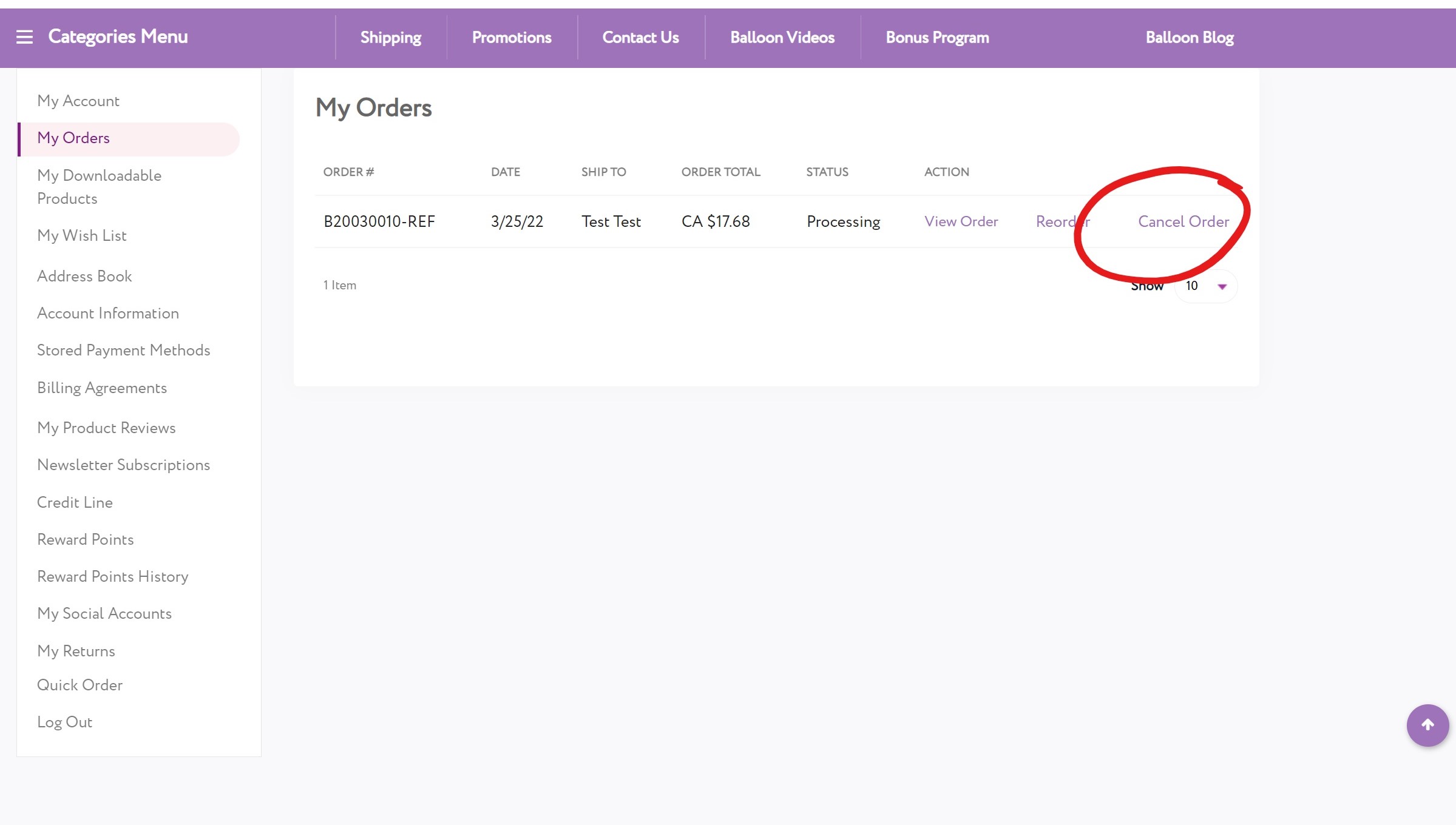
  1. Cancel Order: Sign into your account, and go to My Account > My Orders > Cancel Order. If you don't see "My Account" then click on your name in the top left corner.  
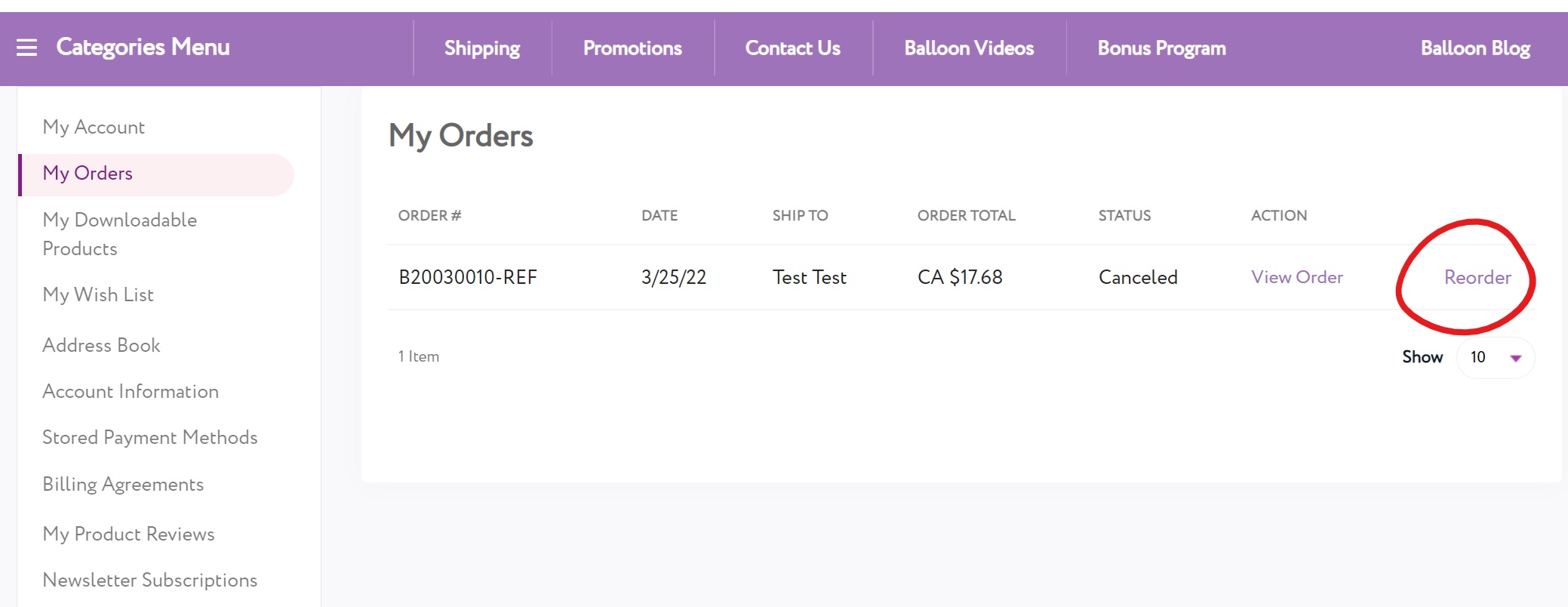
  2. Now Re-Order: In order to save yourself time, you can add the items back to your cart by using the "Reorder" buttonGo to My Account > My Orders > Reorder.  All the items you cancelled from the last order will be added back to your cart. From there you can make the modifications. 
  3. Keep An Eye On Your Payment Processor Statement: When your order is cancelled, the payment will be voided immediately at Balloons Online.  However, it may take 1-5 business days for this to be reflected on your credit card or payment processor statement.  The order amount may still appear under "pending", but will be taken off your credit card or payment processor once they complete the cancellation on their end.


  1. Step 1: To modify a processing order, sign into your account, then go to My Account > My Orders > Cancel Order. Your order will be canceled and the payment will be voided immediately.
  2. Step 2: You can add the items back to your cart by using the Reorder button on that same order, and the items will be added back to your cart. You can then make the modifications and submit it again.


During Office Hours


  1. Email Us: Please contact us via email and request to cancel your order.  We will respond as soon as possible that day to cancel your order.  Please include: Your Order Number, or the first and last name and email address used to place the order. 
  2. Now Re-Order: Follow Step 2 above to re-order and make any adjustments to your order. 
  1. Contact Us: To modify a processing order during the day, please email us.  We will respond as soon as possible to edit or cancel your order.  Please include: Your Order Number, or the first and last name and email address used to place the order. 
  2. Modifying or cancelling your order may not always be possible. If your order is already in the process of being packed or if it's been shipped already, it may not be possible to modify or cancel it. Our goal is to ship all orders as quickly as possible. 

Steps With Pictures (When Office Is Closed) 


Go to My Orders, and click on "Cancel Order" on the far right of the order you wish to cancel. 


Leave us a reason why you need to cancel your order.  Knowing this will help us better resolve your issue. 


Once you click "Cancel Order" you will be brought to a screen here which will confirm that the order was cancelled. 


Now you simply go back to "My Orders" and click on "Reorder" on the far right of the order you just canceled. Don't worry if you need to adjust anything, you can do that when you visit your cart before you confirm your order. 


When you visit your cart, you will see all the items you canceled from your previous order are now here after clicking on "Reorder".  Now you can remove items, add items, change quantities, and so on. It's that easy!